AutoCountAccounting software in Johor Bahru & the Klang Valley
Featured product
AutoCount Accounting
Accounting software for Malaysian businesses — ledgers, billing, stock control and LHDN e-Invoice in one system, with add-on modules as you grow.
- GL, AR & AP
- Stock control built in
- LHDN e-Invoice
- Authorised AutoCount Dealer since 2019
- Johor's No.1 AutoCount Distributor 2026
Why AutoCount.
Malaysian accounting software at the centre, with cloud, payroll, plug-ins and POS that all post into the same books.
Compliance
SST & LHDN e-Invoice
SST tax codes and reports, and e-Invoices submitted to MyInvois straight from AutoCount: standard, consolidated and self-billed.
One system
Everything posts to one set of books
Outlet sales from AutoCount POS and payroll from AutoCount HRMS land in your accounts. One vendor, so no third-party link to break at upgrade time.
Plug-ins
Grows with you
Add modules such as multi-currency, projects and departments, or plug-ins for GIRO, e-commerce and inter-company billing, as the business needs them.
Back office
Sales & purchase modules
Sales and purchase modules, analysis reports and real-time posting to GL, AR and AP, with your own document layouts and running numbers.
Stock
Inventory control
Stock levels, replenishment, costing and pricing, with multi-UOM, barcodes, batches, serial numbers, multiple locations, BOM, assembly and disassembly.
Cloud
Desktop or cloud
Run Accounting 2.0 in the office, or AutoCount Cloud Accounting in a browser on any device, with no server to look after.
What it does.
36 featuresRecurring entries
Schedule future transactions and have them created automatically, or get a reminder instead.
Send via WhatsApp
Send documents, reports or a location to a contact's WhatsApp with a download link.
Document templates
Save templates for quotations, orders, invoices, credit notes and cash sales to bill faster.
PO from Reorder Advice
Pick from the suggested items and quantities and raise purchase orders to suppliers straight away.
Intelligent costing
Keeps inventory costing accurate in the background, even when stock moves in and out.
Auto stock adjustments
After a stock take, the differences are found for you and adjustments created on approval.
6 selling price levels
Up to six price levels per item for different customers, adjusting automatically when cost changes.
Better stock filtering
Group items by group, type, brand, category and class for filtering and analysis.
Item applicability
Hide items from processes they don't belong to, such as own-use items from sales.
Access rights tools
Compare a user's rights with their group, export them to Excel or copy them to a new user.
Unlimited item codes
Barcodes, supplier codes and short codes can all point to the same item.
Transfer either way
Transfer to a new document from an existing one, or from an existing one into a new one.
Credit control
Documents that break a credit limit ask for approval before going through.
Your own input fields
Add the extra fields you need to sales, purchase and stock documents.
Internet login
Open the accounts on the office server from home, over the internet.
Consignment
Track consignment in or out, from consignment note to returns and stock status.
Deposits
Record deposits, apply them to invoices, and handle refunds and forfeits.
Purchase request
An internal request before quotations and purchase orders go to suppliers.
Related documents
See the whole chain from quotation to invoice and payment on one screen, and open any of them.
Stock disassembly
Break one item into components, such as a paper roll into widths, keeping cost and quantity right.
Advanced quotation
Approvals before quotations go out, every revision kept, and email alerts for approvals.
Keyword search
Finds every full and partial match.
Stock item inquiry
All the details of an item on one screen.
Formula editor
Apply formulas to any document field, including line items, for complex calculations.
Theme colour
Each user picks their own colour theme.
Quick-access charts
Choose the data charts shown when you log in.
Favourite tiles
Pin the functions you use most to the main page.
Direct to MyInvois
Submits through the AutoCount e-Invoice Platform, built on LHDN's official SDK.
Every e-Invoice type
Standard, consolidated (for POS sales across outlets) and self-billed.
Approval & retry
Review e-Invoices before they're sent; if MyInvois is down, they queue and resubmit.
QR on receipts
Walk-in customers scan the QR code on their POS receipt to request an e-Invoice.
30+ modules
Multi-currency, projects, departments and more, added as you grow.
Custom fields & tables
Keep extra information with your own fields and tables.
Custom buttons & actions
Add buttons and actions to make the screens easier for your team.
Custom reports
Reports with the information and layout you need.
Cloud Accounting
Also available as AutoCount Cloud Accounting: pay as you go, from any device.
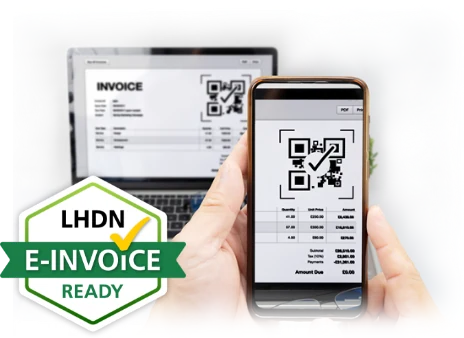
LHDN e-Invoice
e-Invoice ready, straight from your accounts
AutoCount Accounting submits e-Invoices to MyInvois through the AutoCount e-Invoice Platform, built on LHDN's official SDK.
- Standard, consolidated and self-billed e-Invoices
- Review and approve each e-Invoice before it's sent
- If MyInvois is down, e-Invoices queue and resubmit on their own
Who it's for.
Businesses that want clean books, from the first quotation to the month-end report.
SMEs
Trading & services
Companies that quote, bill and buy every day and need clean accounts.
Distribution
Wholesale & distribution
Distributors juggling stock, price levels and credit limits across many customers.
Manufacturing
Assembly & production
Businesses building items from components, with BOM, assembly and disassembly.
Accountants
Accounting firms
Accountants keeping clients' books, on the desktop or in the cloud.
More items.
5 items
AutoCount POS
A connected POS setup that brings sales, inventory, accounting and mobile ordering into one workflow.
- 01Centralised control
- 02POS & inventory control
- 03Accounting ready

AutoCount Cloud Accounting
AutoCount's accounting in your browser — no server to buy, updates applied for you, and LHDN e-Invoice built in.
- 01Any device, anywhere
- 02No server needed
- 03LHDN e-Invoice ready
AutoCount HRMS
Cloud payroll and HR for Malaysian companies — EPF, SOCSO, EIS and PCB worked out for you, with eLeave, eClaim, eAttendance and an AI assistant.
- 01Payroll & statutory
- 02eLeave, eClaim, eAttendance
- 03Siora AI assistant
AutoCount Plug-ins
Add-on modules that make AutoCount Accounting 2.0 fit how you work — fewer spreadsheets, less re-keying, and the industry steps the standard system doesn't cover.
- 01Finance & approvals
- 02E-commerce & POS links
- 03Industry add-ons
AutoCount F&B POS
AutoCount POS for restaurants and cafés — tables, kitchen orders, split bills and set meals, with sales flowing into AutoCount Accounting.
- 01Floor plan & tables
- 02Kitchen printing
- 03QR & eWaiter ordering
Common questions.
What businesses usually ask us before they switch to AutoCount.
How much does AutoCount cost?
It depends on the edition, how many users you need, the modules and plug-ins you add, and whether you run it on the desktop or in the cloud. Tell us how your business runs and we'll recommend the right setup and send you a quote, with no modules you don't need.
Is AutoCount ready for LHDN e-Invoice?
Yes. AutoCount Accounting submits e-Invoices to MyInvois through the AutoCount e-Invoice Platform, built on LHDN's official SDK. It handles standard, consolidated and self-billed e-Invoices, lets you review and approve each one before it's sent, and resubmits on its own if MyInvois is down.
Is AutoCount SST compliant?
Yes. SST tax codes and SST reports are built in, so tax is worked out on your sales and purchases as you bill, and the figures are ready when it's time to file.
Why buy AutoCount from an authorised dealer?
An authorised dealer sells genuine AutoCount licences. REGO has been an authorised AutoCount dealer since 2019 and was named Johor's No.1 AutoCount Distributor in 2026, so you get a genuine licence, proper setup and direct access to updates and support.
Should I choose AutoCount desktop or Cloud Accounting?
AutoCount Accounting 2.0 runs on computers in your office and suits businesses that want everything in-house. AutoCount Cloud Accounting runs in a browser on any device, with no server to look after. We'll help you pick the one that fits how your team works.
Can AutoCount handle more than one company or branch?
Yes. You can keep separate books for each company, track stock across multiple locations, and add modules such as departments, projects and multi-currency, or plug-ins for inter-company billing, as you grow.
Does AutoCount work with payroll and POS?
Yes. AutoCount HRMS handles payroll and AutoCount POS handles outlet sales, and both post into the same AutoCount books. It's one vendor, so there's no third-party link to break when you upgrade.
Do you set up AutoCount and train our staff in Johor Bahru?
Yes. Our team in Ulu Tiram looks after businesses in Johor Bahru and across Johor, and our Petaling Jaya office covers the Klang Valley. We set AutoCount up for you, train your staff and stay on call for support afterwards.